Photo From Emoji Generator
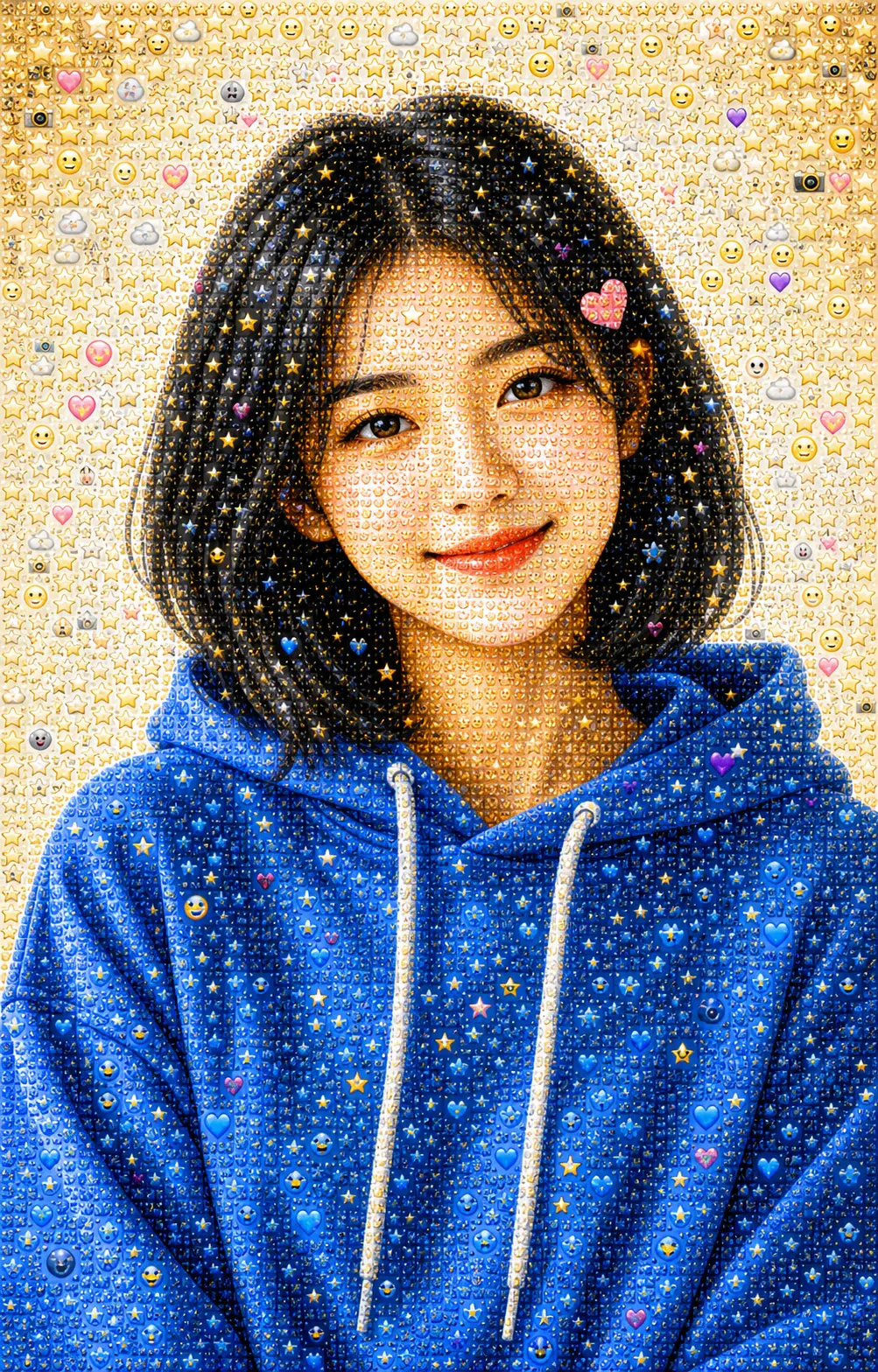
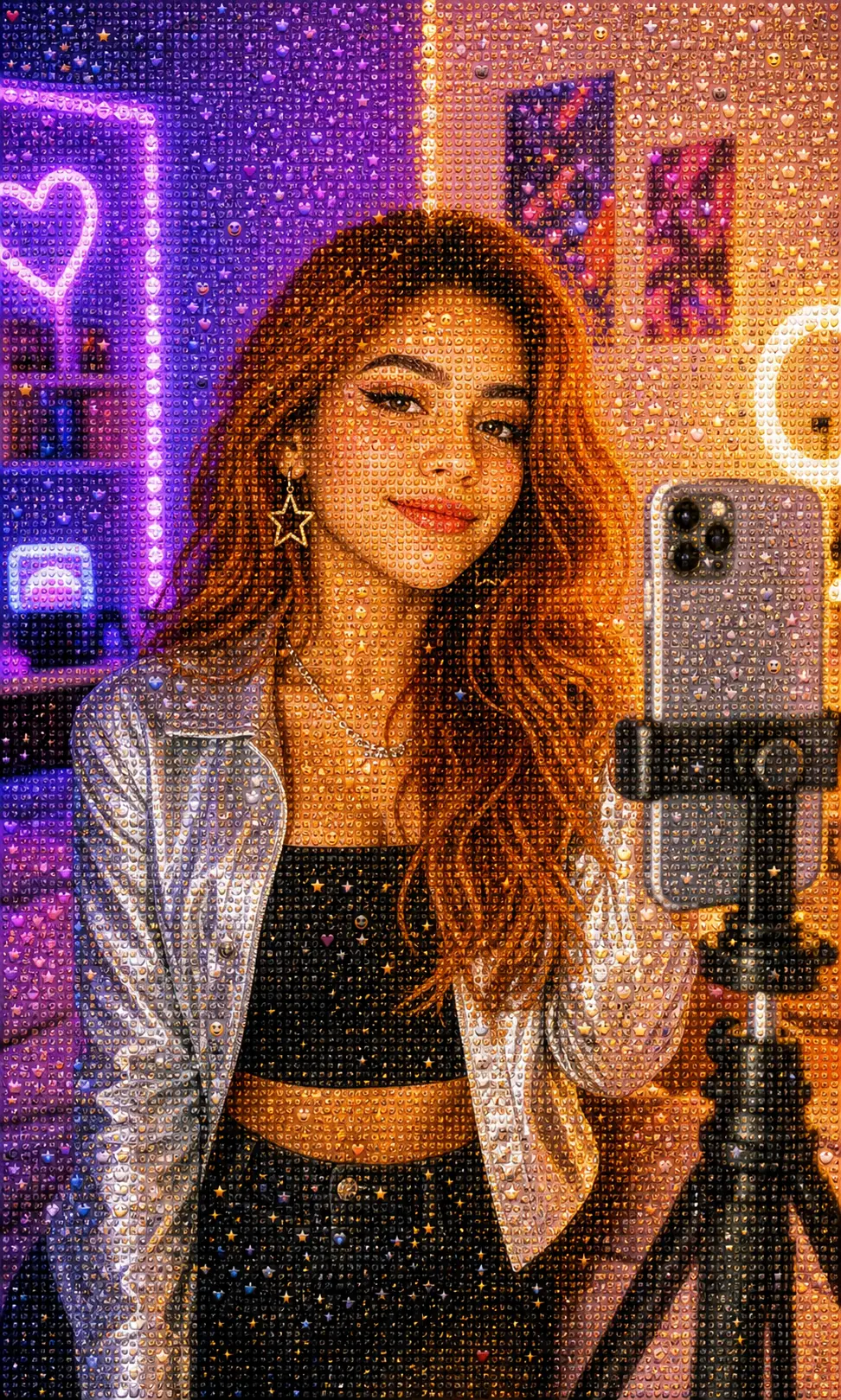
Drop in a portrait, pet, product, or wide-open landscape and PixMelody rebuilds it as a readable emoji mosaic. The original shape still holds across the room; lean in and the surface falls apart into hundreds of tiny smileys, hearts, stars, and sticker faces — pure Photo From Emoji energy, ready for TikTok, Instagram Reels, Shorts, and PFP swaps.
0/5
Nano Banana 2 Results
Ways to use this style
Each variation pairs a sample image with the exact prompt — copy any prompt to start.
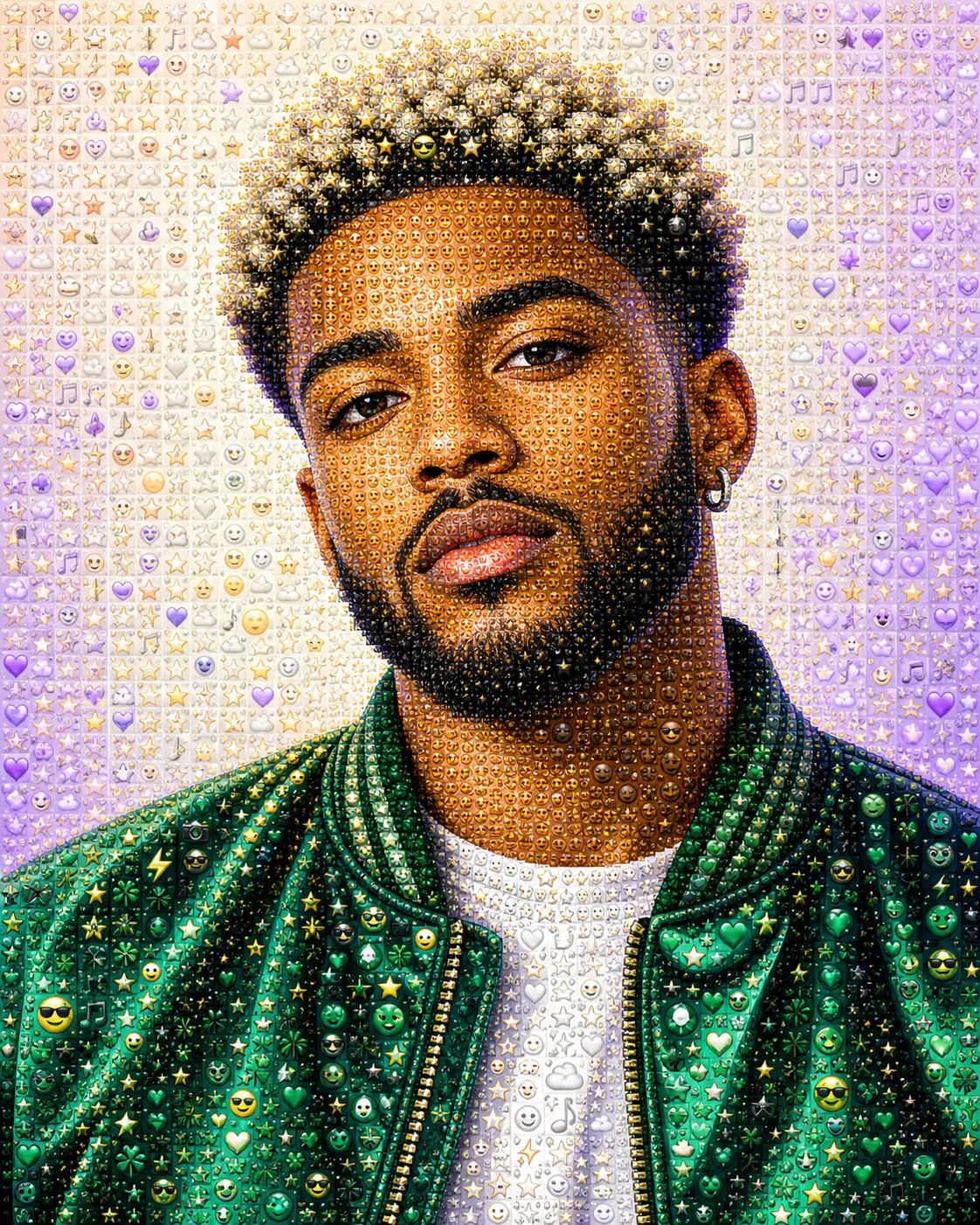
Portraits stay you, the surface goes emoji
Your face, pose, hair, and outfit hold their identity while the photo gets rebuilt out of tiny emoji tiles, sticker faces, and color-matched symbols. From across the feed it still reads as a portrait of you; lean closer and it dissolves into pure Photo From Emoji detail without ever losing the silhouette.
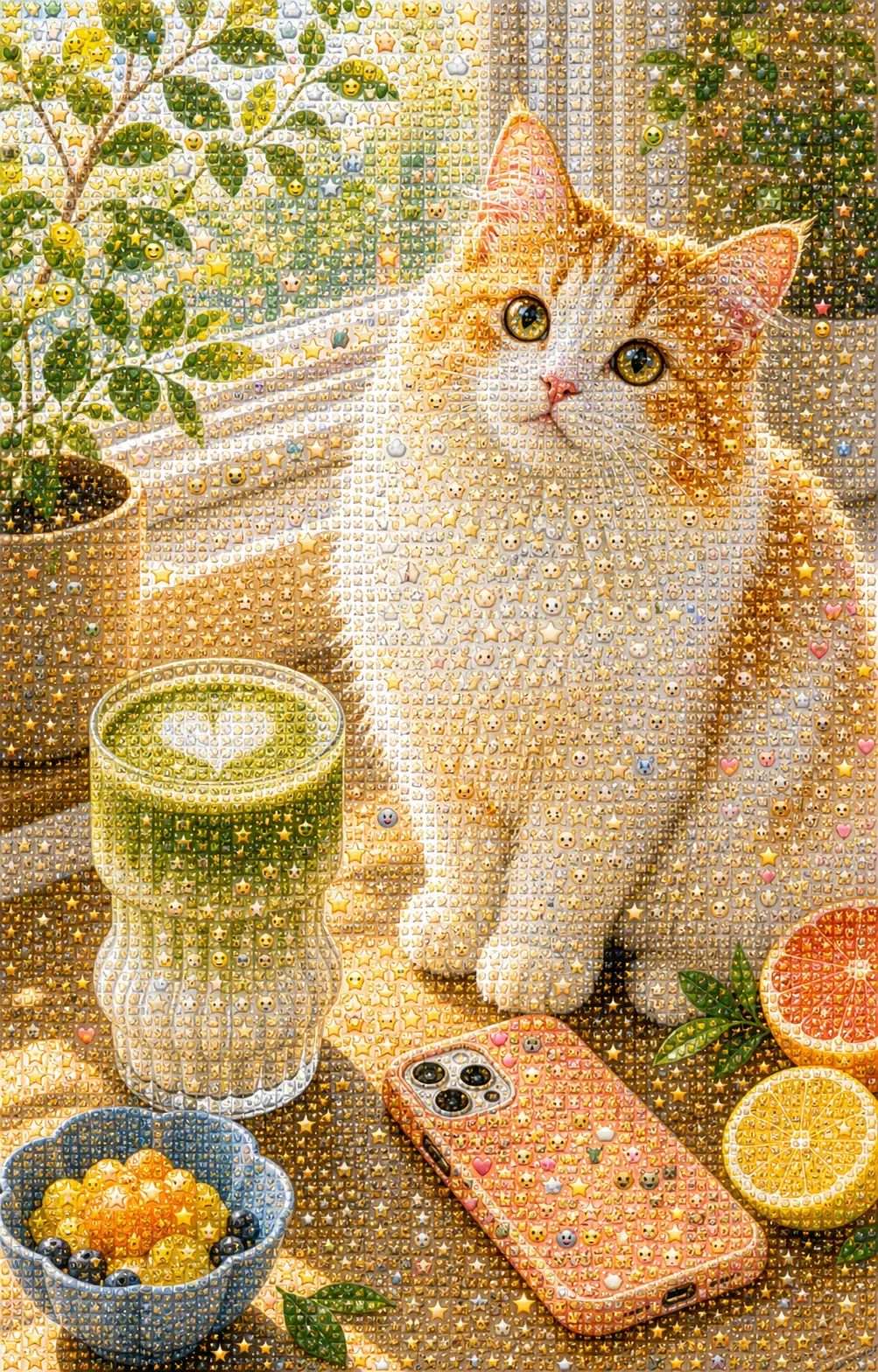
Works for pets, products, and full scenes
The photo to emoji effect doesn't only know selfies. Hand it a dog on the couch, a coffee cup on a desk, an outfit flatlay, or a wide landscape and it still reads the underlying shape, then refills it with a dense emoji mosaic. Same Photo From Emoji language, much wider canvas than just one face.
Built for the before-and-after post
Results land already framed for square crops and short-form video, so a Photo From Emoji reveal slots straight into a Reel, a Short, or a side-by-side TikTok without extra editing. The hook is built in: viewers see a photo, then realize it's an emoji mosaic, then watch again.
Photo From Emoji prompt ideas
Use these when you want tighter control over identity, crop, and emoji density. Each one keeps the original photo readable from far away and pushes the close-up detail into tiny emoji tiles.
Emoji Mosaic Portrait
Use the uploaded portrait as the only reference. Preserve the person's identity, face shape, expression, pose, hairstyle, outfit colors, background, lighting direction, and crop. Rebuild the entire image as a dense Photo From Emoji mosaic made from tiny emoji-style tiles, sticker faces, hearts, stars, sparkles, camera icons, and color-matched symbols arranged like precise mosaic pixels. From far away it should still read as the same portrait; up close it should reveal crisp emoji detail. No floating oversized emojis, no text, no watermark.
Sticker Wall Edit
Transform the uploaded photo into a clean emoji sticker-wall mosaic while keeping the original subject, silhouette, composition, and background layout recognizable. Fill the image with many small sticker-like emoji icons arranged tightly as color-matched mosaic pixels, with crisp edges, bright social-media energy, and refined detail. Avoid loose scattered stickers, random giant emojis, text, or any icon that blocks the eyes or main subject.
Profile Picture Version
Create a polished profile picture from the uploaded photo in the Photo From Emoji style. Keep the face recognizable, centered, sharp, and expressive. Preserve the hairstyle, outfit color, skin tone, and simple background while rebuilding the portrait from dense tiny emoji-style tiles, smileys, hearts, stars, sparkles, and color-matched symbols. Use clean contrast suitable for a social avatar. No text, no watermark, no oversized emojis over the face.
Product or Object Mosaic
Convert the uploaded product or object photo into a premium Photo From Emoji mosaic. Preserve the exact object shape, camera angle, color blocking, highlights, shadows, surface reflections, and background styling. Rebuild every visible surface using tiny emoji-style symbols, hearts, stars, sparkles, camera icons, and playful sticker tiles arranged as precise mosaic pixels. Keep the product readable, polished, and suitable for social sharing. No text, no watermark, no brand distortion.
Recommended PixMelody models
Nano Banana 2
Nano Banana 2 keeps the speed of the base model but adds a quality dial — preview at 1K, sign off at 2K, ship at 4K. The detail in faces, hands, and material textures survives the upscale.
GPT Image 2
GPT Image 2 takes a long brief and gives back a finished image with the type set right, the references locked, and the world it depicts true to life — what diffusion-only models still get wrong.
Related styles
AI Pop Art Portrait Generator
Turn any photo into a bold pop art portrait — Warhol-style color grids, Lichtenstein comic dots, silkscreen poster prints with high-contrast palettes. Use for gallery prints, social avatars, magazine covers, and gifts.
AI Action Figure Generator
Turn any person, brand mascot, or product concept into a collectible action figure — with blister-pack packaging, themed accessories, and studio product photography. Ready for creator merch concepts, mascot pitches, and product proposal visuals.
AI 3D Toy Generator
Turn any photo or character into a 3D toy — chibi figurines, articulated action figures, Funko-style vinyl avatars, collectible character toys with clean studio lighting. Perfect for creator avatars, character moodboards, and gift concepts.
FAQ
What is the Photo From Emoji trend?
Photo From Emoji is the look where a photo is rebuilt entirely out of tiny emoji-style stickers — smileys, hearts, stars, sparkles, animal faces, color-matched symbols — arranged like mosaic pixels so the picture still reads as itself from a few feet away. PixMelody's generator does the rebuild for you in one upload, no manual mosaic work, no hand-placing stickers.
What kind of photo works best?
Anything with a clear subject and a bit of color separation. Portraits with the face well-lit, pets where the eyes and silhouette are obvious, product shots on a clean background, outfit flatlays, simple landscapes — all of these convert cleanly. Very busy, low-contrast photos can still work, but the Photo From Emoji effect lands hardest when the underlying silhouette is easy to read.
Will it keep the original photo recognizable?
Yes. The model treats your photo as the only reference — it preserves face, pose, color, framing, and overall composition, and only rebuilds the surface as an emoji mosaic. You should still feel like you're looking at the same person, pet, or product, just rendered out of hundreds of tiny stickers instead of pixels.
Is this the same as photo to emoji or an emoji mosaic generator?
Same family of trend, same vibe. People search for Photo From Emoji, photo to emoji, emoji mosaic, and AI emoji sticker — they all describe the same general look. PixMelody's generator handles them under one roof: upload a photo, it rebuilds it as a Photo From Emoji mosaic ready to post.
Any tips for the cleanest result?
Upload a higher-resolution photo so the mosaic has room to breathe, keep one clear subject in the frame, and lean toward photos with a bit of color contrast between subject and background. If you want a Photo From Emoji portrait avatar specifically, a centered face with a simple background works best — the mosaic will track the silhouette tightly without the background fighting for attention.
How long does each generation take?
Most runs finish in 20 to 60 seconds once you upload a photo, depending on the model, scene complexity, and current queue. Pro-tier models run a touch longer on heavy detail, and you see live progress while it works.
Can I use the generated images commercially?
Yes. As long as the source photo is yours or you have permission to edit it, outputs can be used in personal portfolios, social posts, brand campaigns, e-commerce assets, and client deliverables. For commercial use that features recognizable people or third-party brands, confirm likeness and trademark rights separately.
How many credits does this style use?
The inline generator runs on the same PixMelody account and credit system as the main creator. Each generation deducts credits based on the model you pick, and the exact cost shows live on screen. New accounts get free credits to try the style before topping up.