
LinkedIn Headshot Generator
Upload a casual selfie and get a studio-grade LinkedIn headshot in 30 seconds. PixMelody swaps in proper attire, cleans up lighting and background, and preserves your face — ready for LinkedIn, resumes, and team pages.
0/5
GPT Image 2 Results
Ways to use this style
Each variation pairs a sample image with the exact prompt — copy any prompt to start.

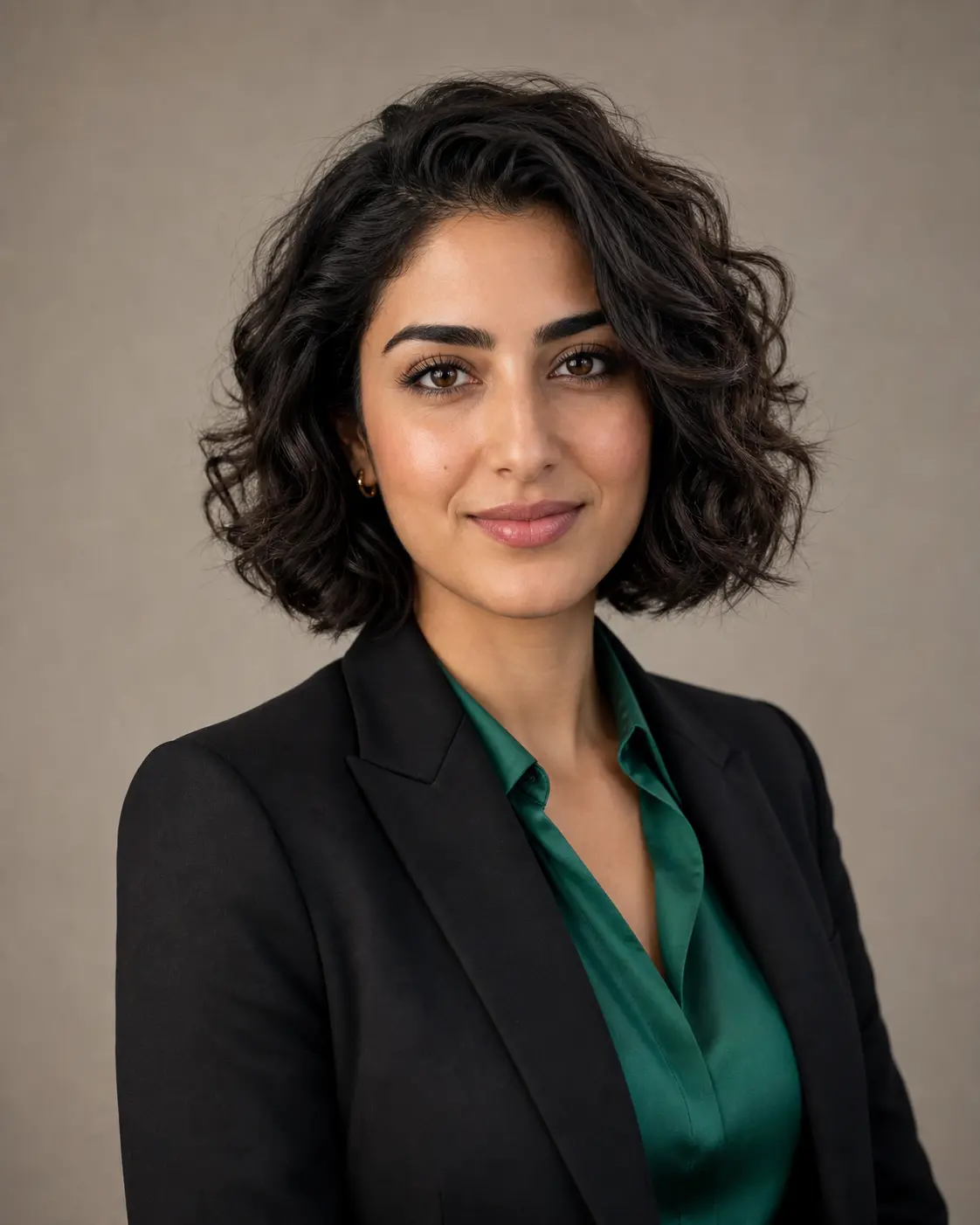
Studio-lit corporate headshot
Classic softbox lighting, neutral gray seamless backdrop, and tailored business attire — the safest pick for executive bios, board pages, and annual reports.
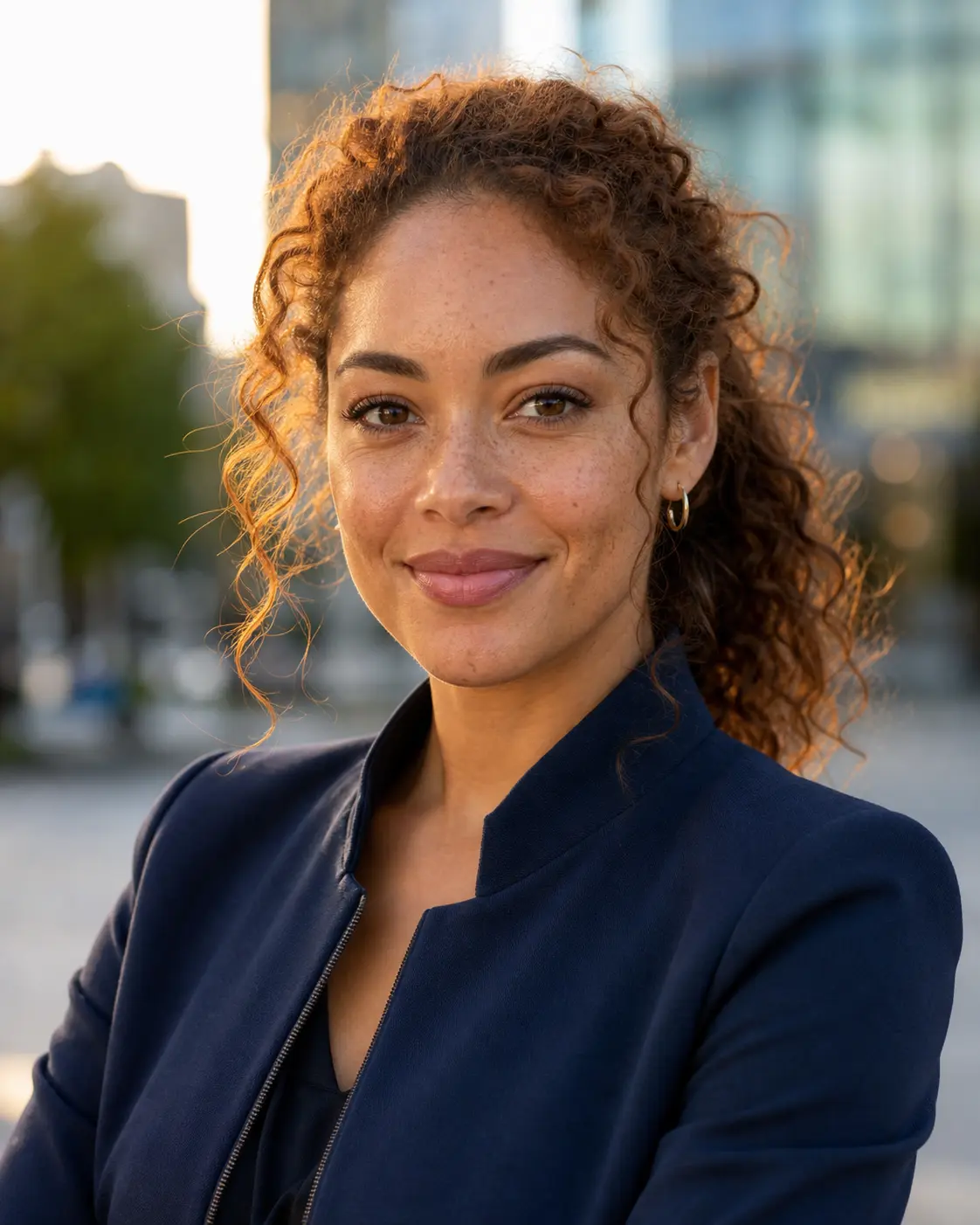
Outdoor natural-light portrait
Golden-hour side light against a softly blurred cityscape — warm and approachable for sales, creator, and consultant profiles.

Modern office environmental
Real-office depth of field — grounded and credible for founder, startup, and press-interview headshots.
LinkedIn headshot prompt ideas
Stick with the default for a tuned all-rounder, or copy a variant matched to your industry and setting — studio neutral, modern office, outdoor natural light, or executive suit.
Studio Neutral Headshot
Convert the uploaded portrait into a polished LinkedIn headshot against a soft neutral studio backdrop. Preserve the person's identity, face shape, brow line, and natural skin texture. Add gentle three-point studio lighting with a soft key from the left, a confident relaxed expression, and a tailored neutral-tone blazer or business shirt. Frame chest-up and centered, sharp focus on the eyes, clean negative space around the head. No text, no logos, no over-retouched skin.
Modern Office Backdrop
Rebuild the uploaded portrait as a LinkedIn-ready headshot set against a softly blurred modern office background — bookshelves, glass partitions, or warm interior lighting suggested behind the subject. Keep the face, expression, and identity intact. Dress the subject in business-casual attire (open-collar shirt or knit blazer), use natural window-style lighting with a subtle catchlight in the eyes, and frame chest-up with sharp focus. Avoid heavy retouching and any visible brand logos.
Outdoor Natural Light
Generate a LinkedIn-grade headshot of the uploaded subject in a softly out-of-focus outdoor environment — leafy park, warm urban architecture, or late-afternoon sunlight. Preserve facial identity and natural skin tone. Use directional natural light with subtle catchlights, a relaxed approachable expression, and smart-casual wardrobe (button-up shirt, neutral knit, or light jacket). Frame chest-up with sharp focus and clean composition. No filters, no over-saturation.
Executive Suit Portrait
Transform the uploaded photo into an executive-tier LinkedIn portrait. Subject in a well-tailored dark suit with crisp shirt, framed chest-up against a deep neutral backdrop (charcoal, navy, or muted slate). Preserve identity and authentic skin texture. Apply soft directional studio lighting with a subtle rim light separating subject from background, a confident composed expression, and a sharp catchlight in the eyes. Premium editorial finish, no over-smoothed skin, no text.
Recommended PixMelody models
GPT Image 2
GPT Image 2 takes a long brief and gives back a finished image with the type set right, the references locked, and the world it depicts true to life — what diffusion-only models still get wrong.
Nano Banana 2
Nano Banana 2 keeps the speed of the base model but adds a quality dial — preview at 1K, sign off at 2K, ship at 4K. The detail in faces, hands, and material textures survives the upscale.
Related styles
AI Glow Up Filter — Natural Beauty Portrait
Upload a portrait or selfie and the AI Glow Up filter gently lifts skin, eyes, lighting, and overall energy — same person, but as if a professional photographer reshot you. Identity preserved, ready for avatars, IG content, and personal brand pages.
Black and White Portrait Generator — AI Monochrome Filter
Upload a portrait and PixMelody outputs a classic black and white image with bright catchlights, deep tonal range, and clean editorial composition — perfect for author bios, artist features, album covers, and brand bio pages.
Fashion Collage Generator — AI Editorial Collage
Turn photos into editorial fashion collages — layered outfits, magazine-grade composition, clean negative space. Drop straight into brand moodboards, lookbook concepts, seasonal campaigns, and creative proposal visuals.
FAQ
What is the LinkedIn Headshot Generator?
It's the PixMelody AI headshot tool tuned for business profiles. Upload an everyday selfie or chest-up portrait, and the model adds studio lighting, business attire, and a clean background — the output looks like a session with a professional photographer, ready for LinkedIn, resumes, and company team pages.
What kind of photo works best?
Use a sharp, single-person chest-up shot with even lighting, an unobstructed face, and no heavy filters. Direct or slightly off-camera gaze with a natural expression preserves identity best. Sunglasses, masks, harsh backlight, and group photos all reduce quality — re-shoot when possible.
Will it replace my face with someone else's?
No. The default prompt locks identity preservation — the model keeps your face shape, brow line, eye proportions, hairline, and skin tone, while rebuilding only the pose, wardrobe, lighting, and background. If you want even stronger identity preservation, add 'same person, preserve facial identity' to your prompt.
How is this different from a beauty filter?
Beauty filters smooth skin, brighten eyes, and add makeup to the existing snapshot. The LinkedIn Headshot Generator rebuilds the whole image — new lighting, new wardrobe, new backdrop, corrected posture — to meet the standard of an editorial business portrait you can publish on a company website.
How do I get the most professional-looking result?
Upload a sharp chest-up portrait with even light on the face and a relaxed expression. In the prompt, specify wardrobe (suit, blazer, white shirt), light direction (soft key light from the left, window light), and backdrop color (neutral gray, deep navy). Generate three to four variations and pick the one that's both most recognizable and most appropriate for the venue.
How long does each generation take?
Most runs finish in 20 to 60 seconds once you upload a photo, depending on the model, scene complexity, and current queue. Pro-tier models run a touch longer on heavy detail, and you see live progress while it works.
Can I use the generated images commercially?
Yes. As long as the source photo is yours or you have permission to edit it, outputs can be used in personal portfolios, social posts, brand campaigns, e-commerce assets, and client deliverables. For commercial use that features recognizable people or third-party brands, confirm likeness and trademark rights separately.
How many credits does this style use?
The inline generator runs on the same PixMelody account and credit system as the main creator. Each generation deducts credits based on the model you pick, and the exact cost shows live on screen. New accounts get free credits to try the style before topping up.