
LinkedIn 職業頭像生成器
上傳一張日常自拍,30 秒生成棚拍等級的 LinkedIn 職業頭像。自動換上正裝、整理光線與背景,同時保留本人的臉部辨識度,可直接用於領英、履歷與團隊介紹頁。
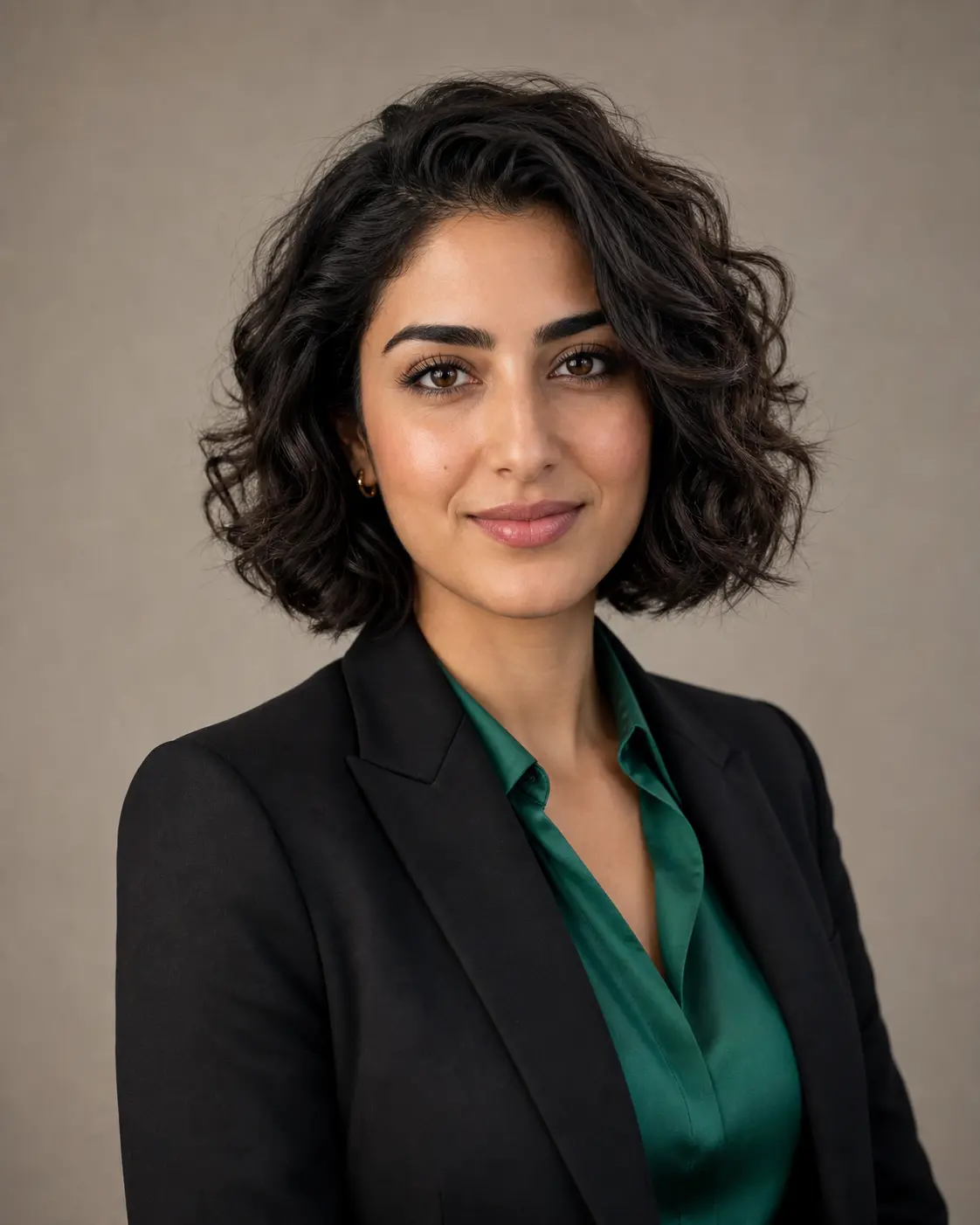
0/5
GPT Image 2 Results
這個風格的使用方式
每個變體都附上範例圖與對應提示詞 —— 複製即可開始。
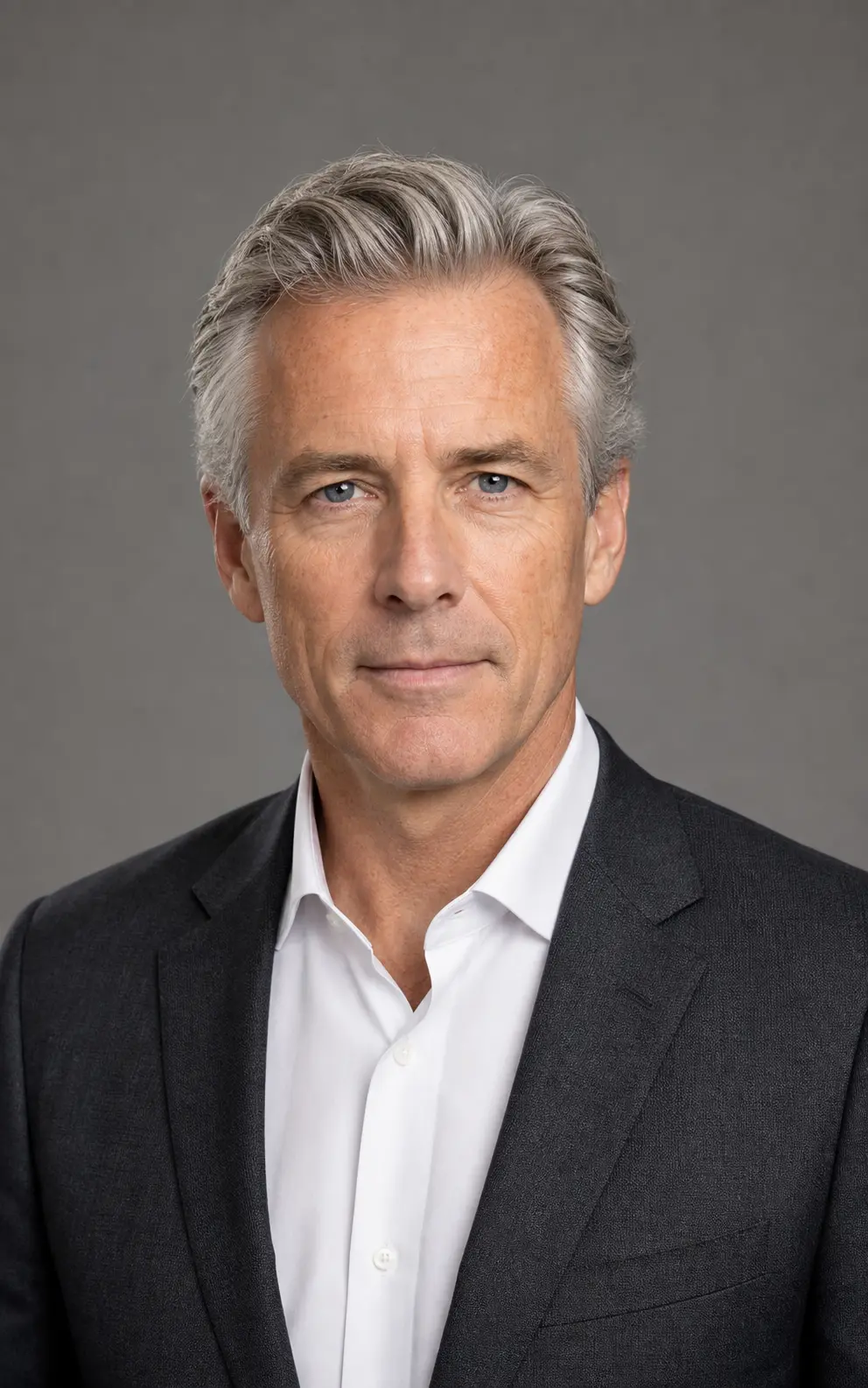
棚拍企業風頭像
經典柔光箱打光、中性灰背景、合身西裝——適合高階主管、董事會頁面、上市公司年報的安全牌。
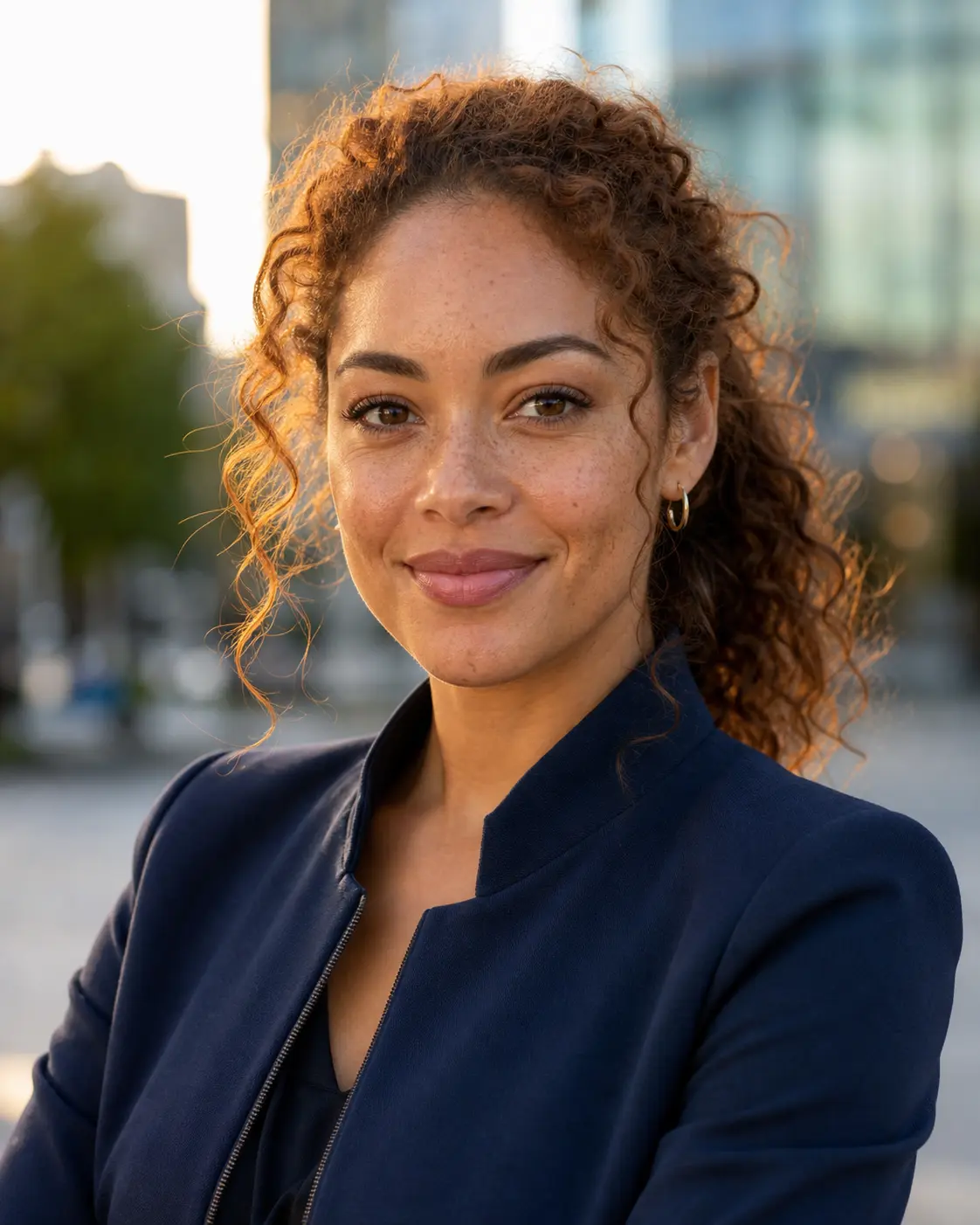
戶外自然光商務頭像
黃金時刻側光、城市虛化背景——友善而有溫度,適合業務、創作者與顧問的個人頁面。

現代辦公情境頭像
真實辦公室淺景深背景——有實感、不死板,適合創辦人、新創團隊頁與媒體採訪稿。
LinkedIn 大頭照提示詞範本
預設風格本身已調過,想要更精準的方向就從下面挑一段——攝影棚中性背景、現代辦公室、戶外自然光、或主管級正裝。
攝影棚中性背景
Convert the uploaded portrait into a polished LinkedIn headshot against a soft neutral studio backdrop. Preserve the person's identity, face shape, brow line, and natural skin texture. Add gentle three-point studio lighting with a soft key from the left, a confident relaxed expression, and a tailored neutral-tone blazer or business shirt. Frame chest-up and centered, sharp focus on the eyes, clean negative space around the head. No text, no logos, no over-retouched skin.
現代辦公室背景
Rebuild the uploaded portrait as a LinkedIn-ready headshot set against a softly blurred modern office background — bookshelves, glass partitions, or warm interior lighting suggested behind the subject. Keep the face, expression, and identity intact. Dress the subject in business-casual attire (open-collar shirt or knit blazer), use natural window-style lighting with a subtle catchlight in the eyes, and frame chest-up with sharp focus. Avoid heavy retouching and any visible brand logos.
戶外自然光
Generate a LinkedIn-grade headshot of the uploaded subject in a softly out-of-focus outdoor environment — leafy park, warm urban architecture, or late-afternoon sunlight. Preserve facial identity and natural skin tone. Use directional natural light with subtle catchlights, a relaxed approachable expression, and smart-casual wardrobe (button-up shirt, neutral knit, or light jacket). Frame chest-up with sharp focus and clean composition. No filters, no over-saturation.
主管級正裝肖像
Transform the uploaded photo into an executive-tier LinkedIn portrait. Subject in a well-tailored dark suit with crisp shirt, framed chest-up against a deep neutral backdrop (charcoal, navy, or muted slate). Preserve identity and authentic skin texture. Apply soft directional studio lighting with a subtle rim light separating subject from background, a confident composed expression, and a sharp catchlight in the eyes. Premium editorial finish, no over-smoothed skin, no text.
推薦 PixMelody 模型
常見問題
LinkedIn 職業頭像生成器是什麼?
它是 PixMelody 為商務場景調好的 AI 頭像工具。上傳一張日常自拍或半身照,模型會自動套上棚拍打光、商務服裝與乾淨背景,輸出一張看起來像專業攝影師拍出來的職業頭像,可直接用於 LinkedIn、履歷與官網。
什麼樣的照片效果最好?
建議使用單人、半身或胸上構圖的清晰照片,臉部完整無遮擋、光線均勻、沒有重度濾鏡。眼神朝向鏡頭、表情自然的照片最容易保留辨識度。墨鏡、口罩、強烈逆光與多人合照都會降低成功率。
會不會把我換成另一個人?
不會。預設提示詞鎖定身份保留——模型會維持你的臉型、眉眼比例、髮型與膚色,只重新處理姿勢、服裝、光線與背景。如果想再像本人一些,可以在輸入框追加「same person, preserve facial identity」。
跟一般美顏濾鏡有什麼不同?
美顏濾鏡只是磨皮、提亮、加妝,整體還是原本那張隨手拍。LinkedIn 職業頭像生成器是把照片整個重做成棚拍——換光線、換服裝、換背景、調整姿勢,輸出標準是「能放上官網的職業形象照」。
怎麼得到最像專業攝影棚拍出來的效果?
上傳清晰的半身照、臉部均勻照光、保持自然微笑;在提示詞裡指定服裝(西裝、商務便裝、白襯衫)、光線方向(左側柔光、窗光)、背景顏色(中性灰、深藍)。建議生成 3 到 4 張變體再挑最像本人、最符合場合的版本。
一次生成大概要多久?
上傳照片後通常 20 到 60 秒就能拿到結果,會依模型、畫面複雜度與當前排隊情況微調。Pro 等級模型在重度細節場景下會稍久,但你會看到即時進度。
生成的圖能用在商業專案嗎?
可以。只要來源照片是你擁有或有編輯權限的素材,輸出圖可用於個人作品集、社群、品牌行銷、電商素材與客戶交付。涉及可辨識人物或第三方品牌的商業用途,請另行確認肖像權與商標授權。
這個風格會消耗多少點數?
內嵌生成器使用與 PixMelody 主生成器相同的帳號與點數系統,每次生成的點數依所選模型計算,畫面上會即時顯示消耗。新用戶註冊就送免費點數,可以先試效果再決定。